
Skip to content

Anastasiia Bondarchuk

Cisco Social Login Builder

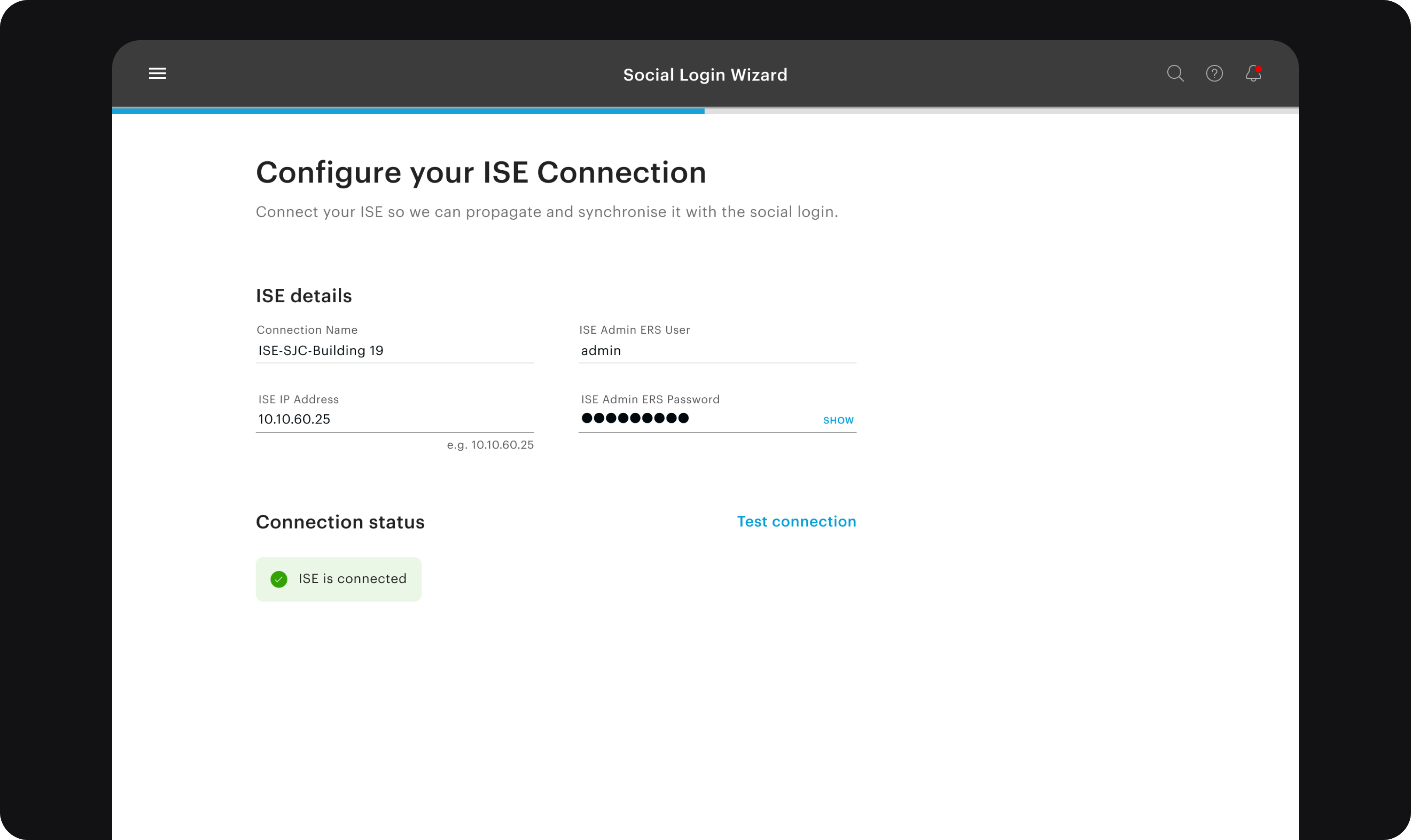
The Social Login Wizard: the ISE connection set up and tested, with ISE connected.

Cisco Social Login Builder

2019–2020
BacklogEnterprise complexity
Role
Sole designer
Team
1 UXD on a team of 8: 1 PM, 1 EM, 4 eng, 1 QA
Timeline
2019–2020 · GBSFO, contracted to Cisco
Outcome
Development started, then it went to the backlog when engineering was needed elsewhere. It didn't ship.

Cisco Identity Services Engine (ISE) controls who and what connects to a company's network. It's used by 10,000+ organizations. To let guests onto Wi-Fi with a Google or Facebook account, admins had to piece settings together across a huge console. I designed a separate builder for it.

I owned the research, the information architecture, the flows, the wizard and the dashboard.

Problem

A short task took hours of documentation and guesswork.

A portal is the login page a guest sees before getting onto the Wi-Fi. A sponsor is an employee who approves a guest's access. ISE runs on servers called nodes.

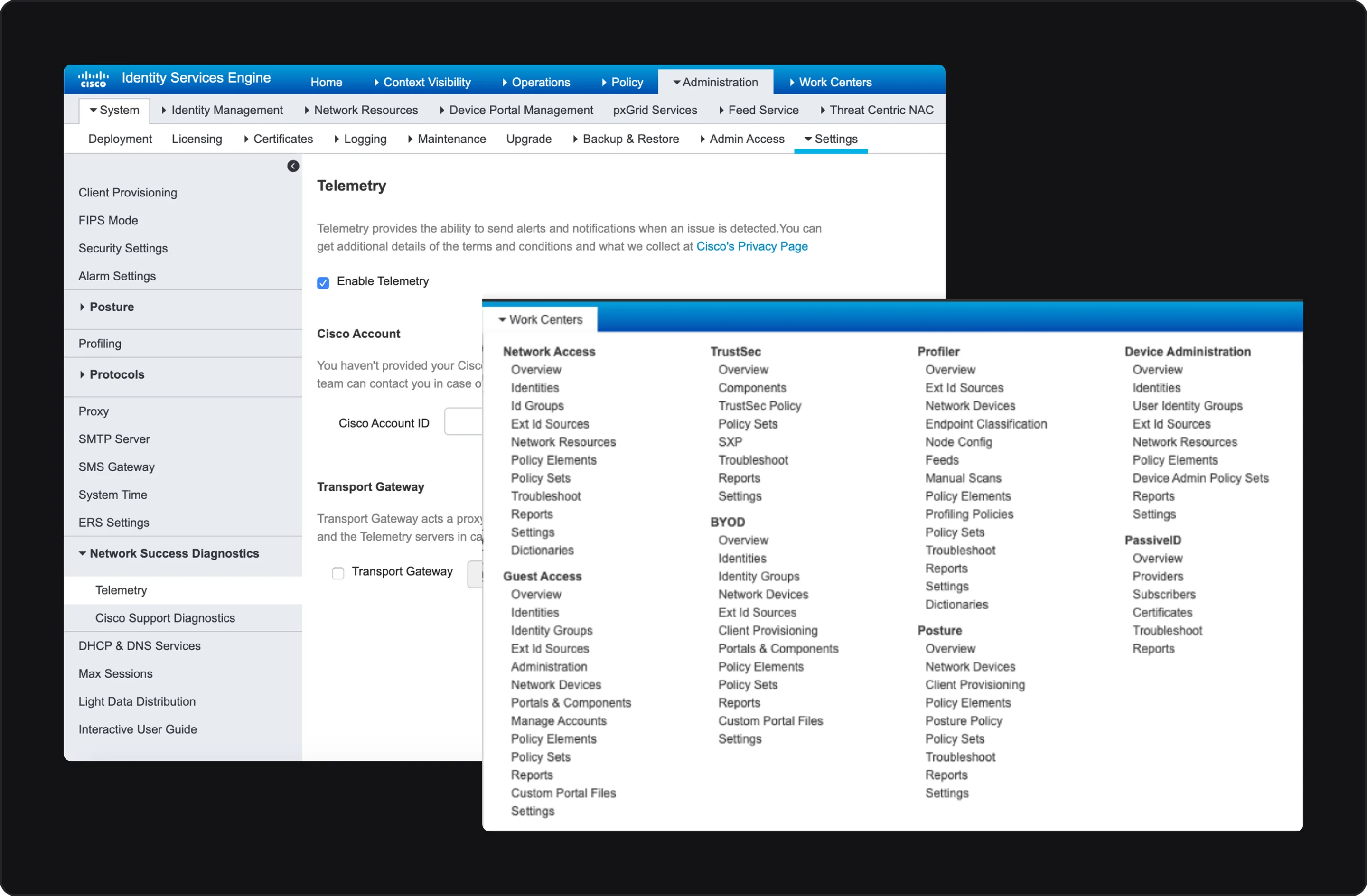
Many teams added to ISE over the years, with little shared system. The console had over 1,000 pages, overlapping modules and a confusing hierarchy.

The ISE admin console: over 1,000 pages

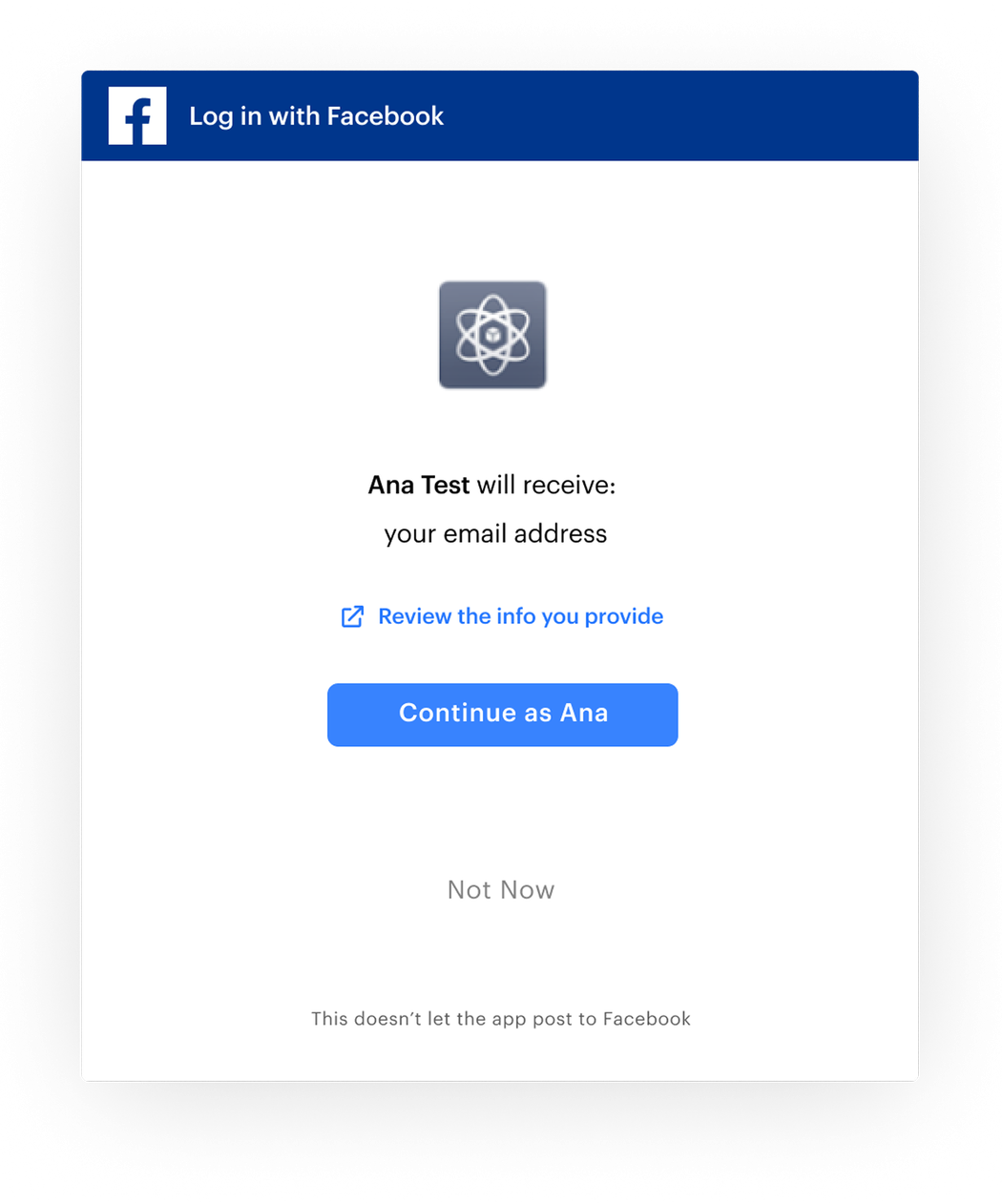
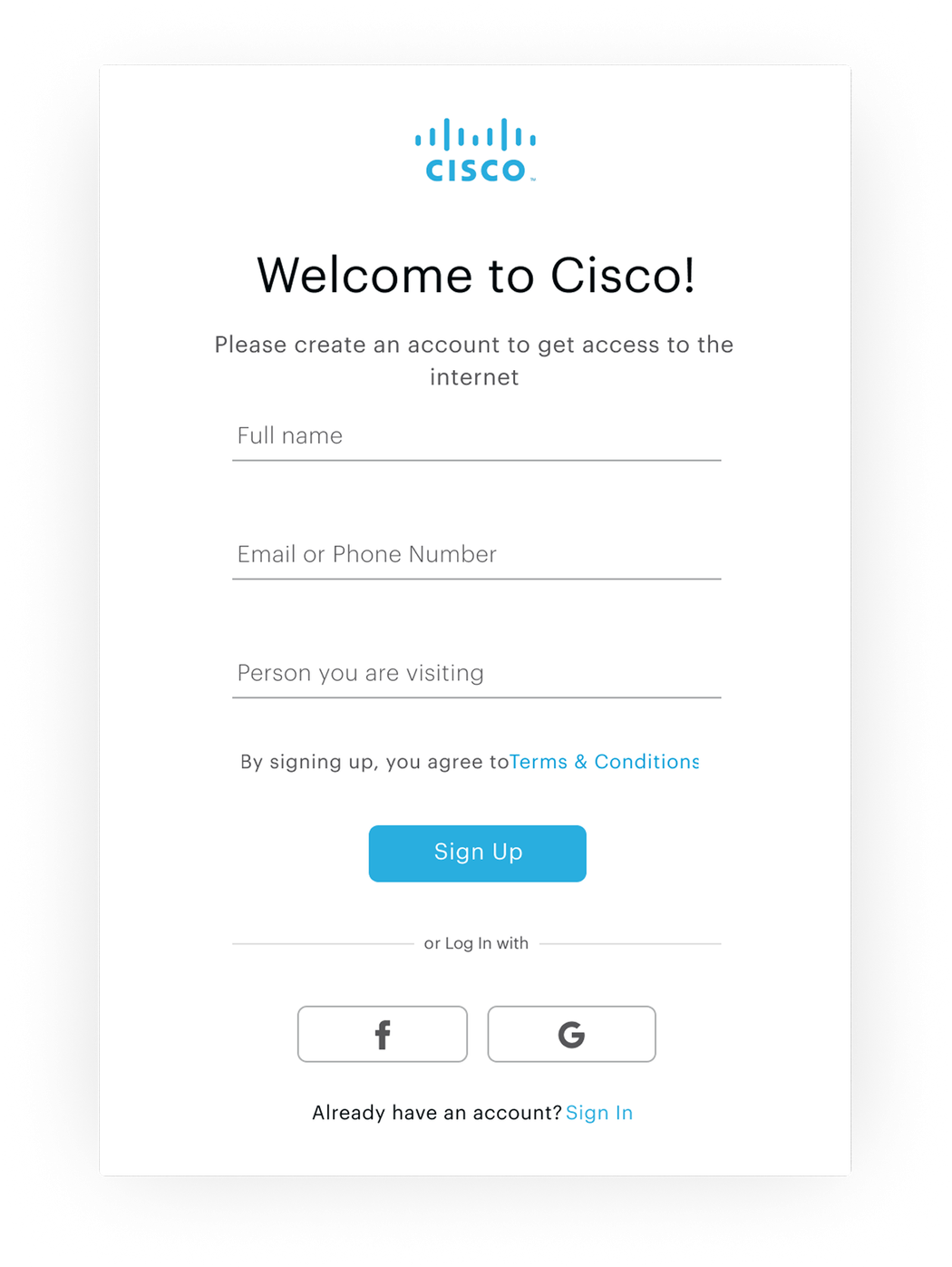
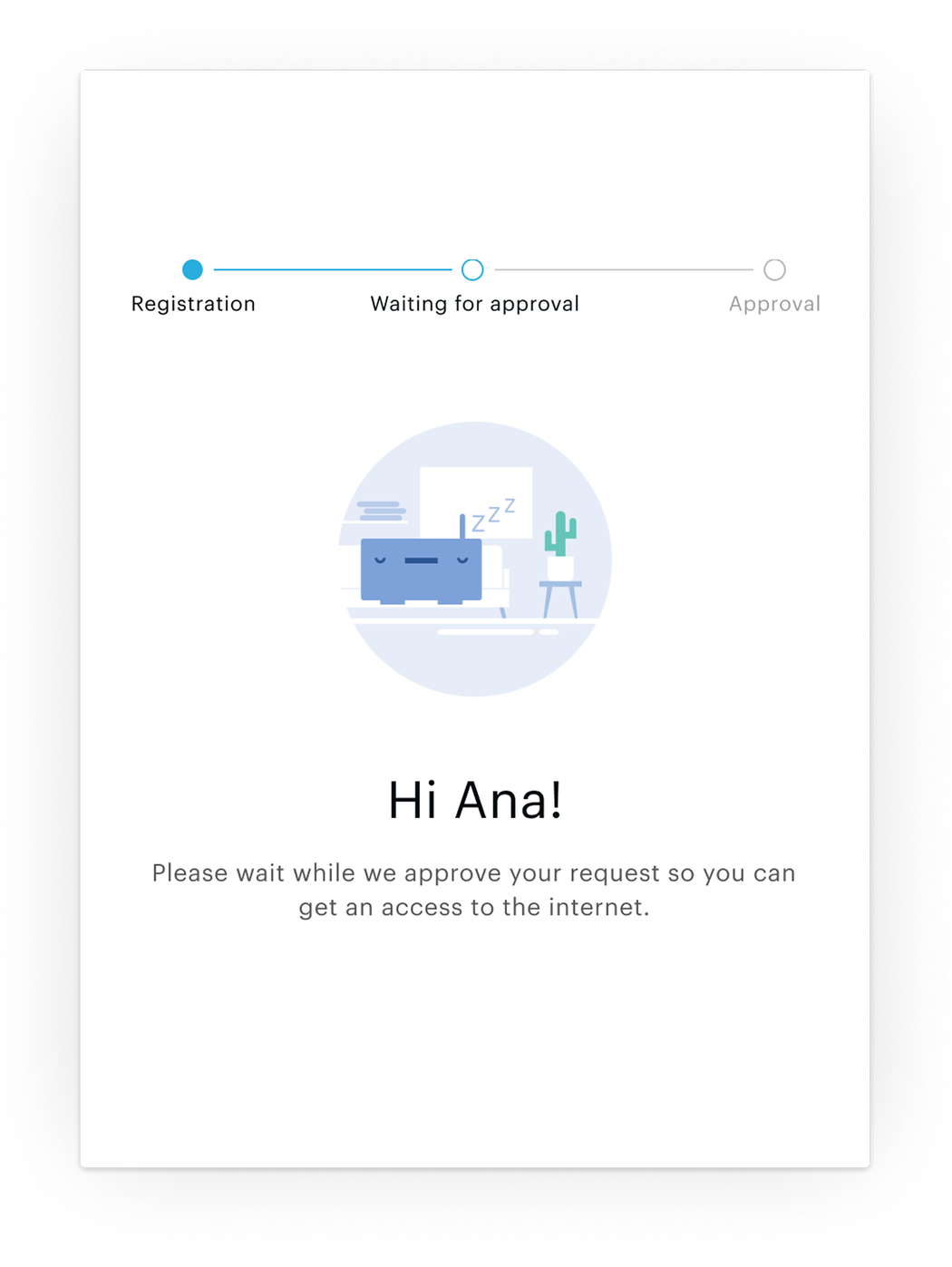
Social login came in three flows, and admins set up each one by hand.

Portal screen: continue with a social account, no registration.
No registrationTap a social account and you're online.
Portal screen: a sign-up form, with social accounts as another way in.
With registrationFill in a form, or use a social account.
Portal screen: registration done, waiting for a host to approve.
Registration + sponsorRegister, then wait for a host to approve.

To turn on a single login method, an admin bounced between Identity Management and Portals and back again. There was no central builder and no shared statistics.

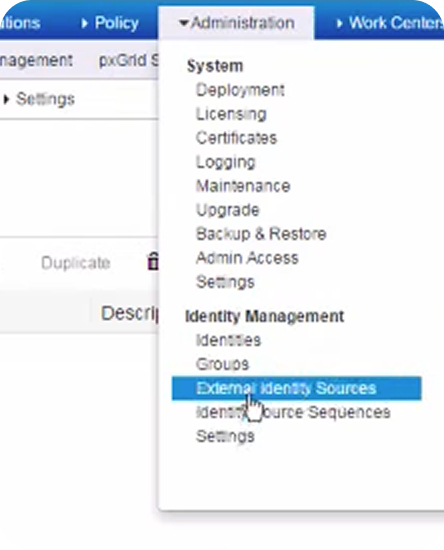
ISE console: the Administration menu, with External Identity Sources selected under Identity Management.
Open External Identity Sources1 · Identity Management
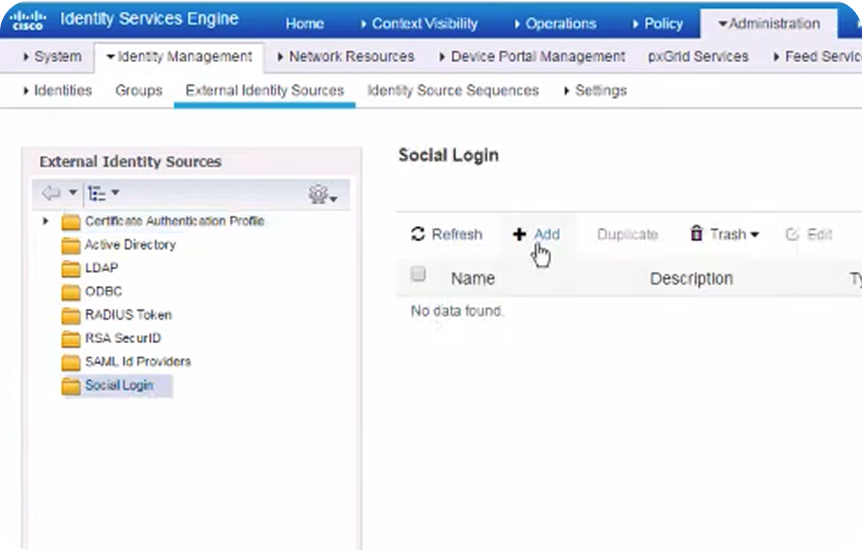
ISE console: the Social Login list under External Identity Sources, with Add selected.
Add a social login2 · Identity Management
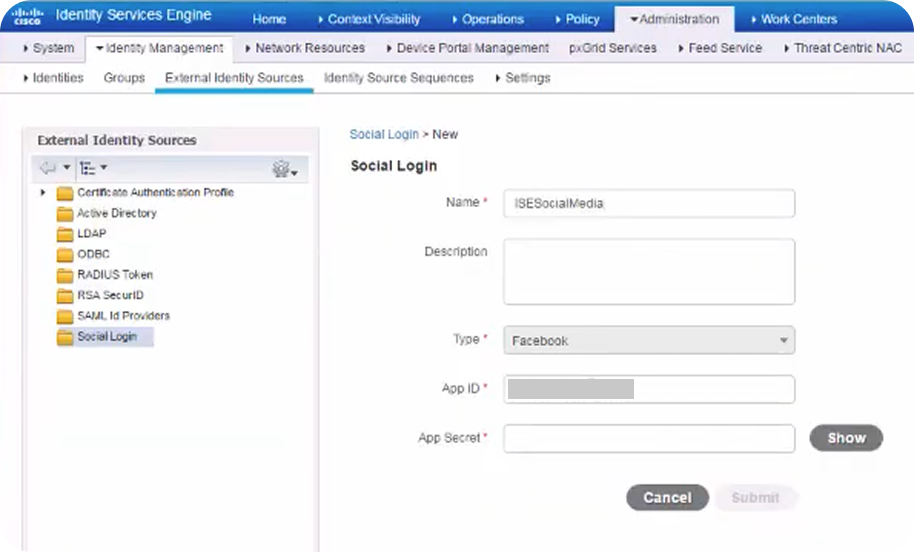
ISE console: the new Social Login form, with name, type, app ID and app secret.
Enter the app credentials3 · Identity Management
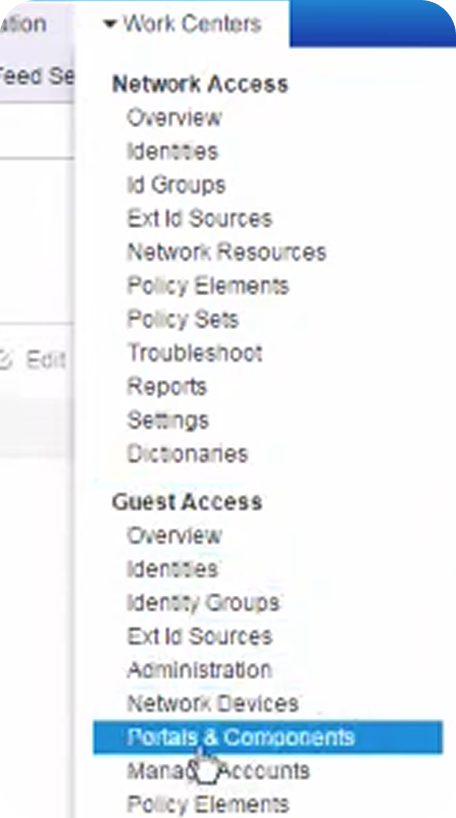
ISE console: the Work Centers menu, with Portals & Components selected under Guest Access.
Open Portals & Components4 · Guest Access
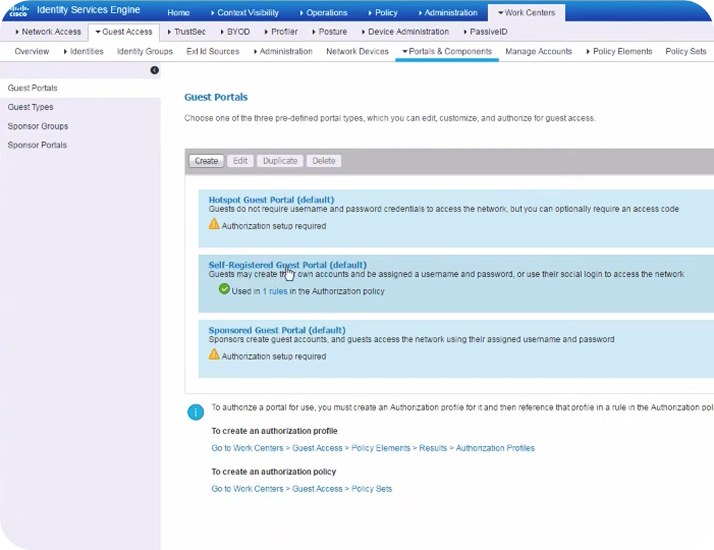
ISE console: the Guest Portals list, with the Self-Registered Guest Portal selected.
Open the self-registered guest portal5 · Guest Access
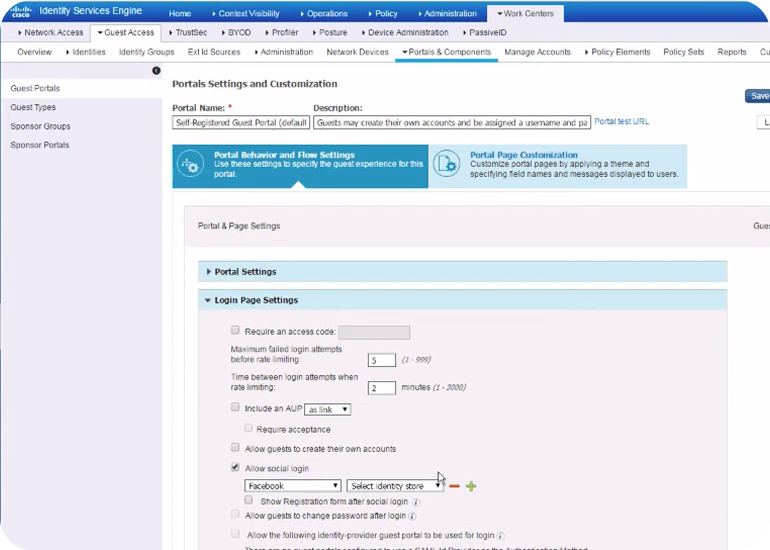
ISE console: the portal's login page settings, with Allow social login checked and Facebook selected.
Allow social login and pick the network6 · Guest Access
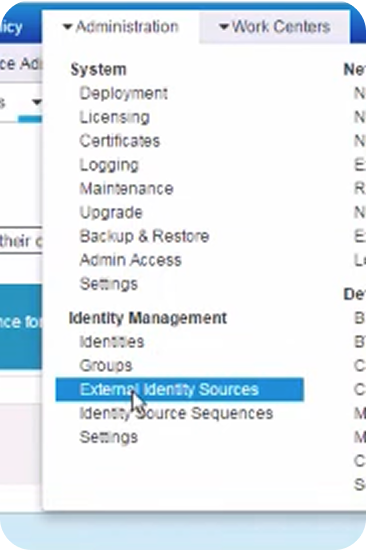
ISE console: the Administration menu again, with External Identity Sources selected.
Back to External Identity Sources7 · Identity Management
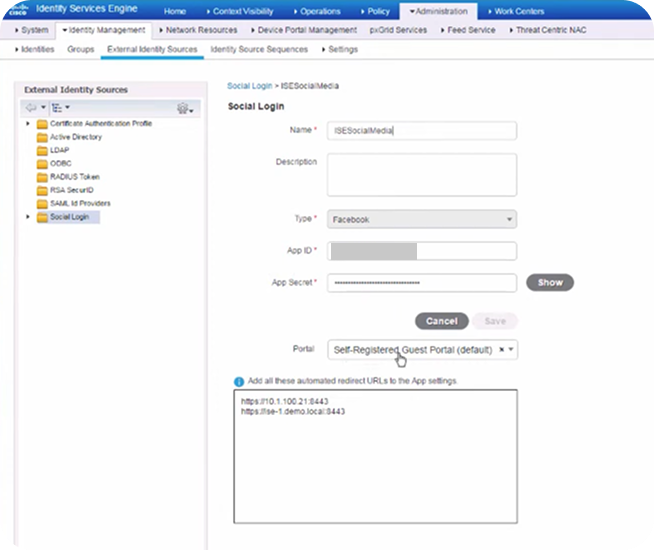
ISE console: the saved social login, with a portal selected and the redirect URLs to add to the app.
Check the connection8 · Identity Management

Research

Admins wanted tailored access, but they also needed speed.

In several calls with Cisco partners, the same tension kept coming up. They wanted different access for each office, but set up one portal at a time to move fast, and only thought about grouping later.

What I designed

One reusable group, a guided setup, and one place to track it.

The grouping model

Apps sit inside a portal type, and portal types sit inside an ISE connection. A connection can be a region, an office or a floor. I designed the Social Login Method, which wraps all of them into one group you can reuse.

The guided wizard

I turned the scattered settings into one guided setup, with a summary before anything is saved. Returning admins reuse what they've already set up.

Create Social Login Method

  1. 01Onboarding
  2. 02Add Social Login Application (one or more)
  3. 03Connect to ISE
  4. 04Choose Portal and Guest type
  5. 05Add Login Method Name
  6. 06Summary
  7. 07Deploy to ISE

Dashboard

  1. Social Login Method details
  2. Application details
  3. ISE Connection details
Onboarding · add application · connect to ISE · deploy

The dashboard

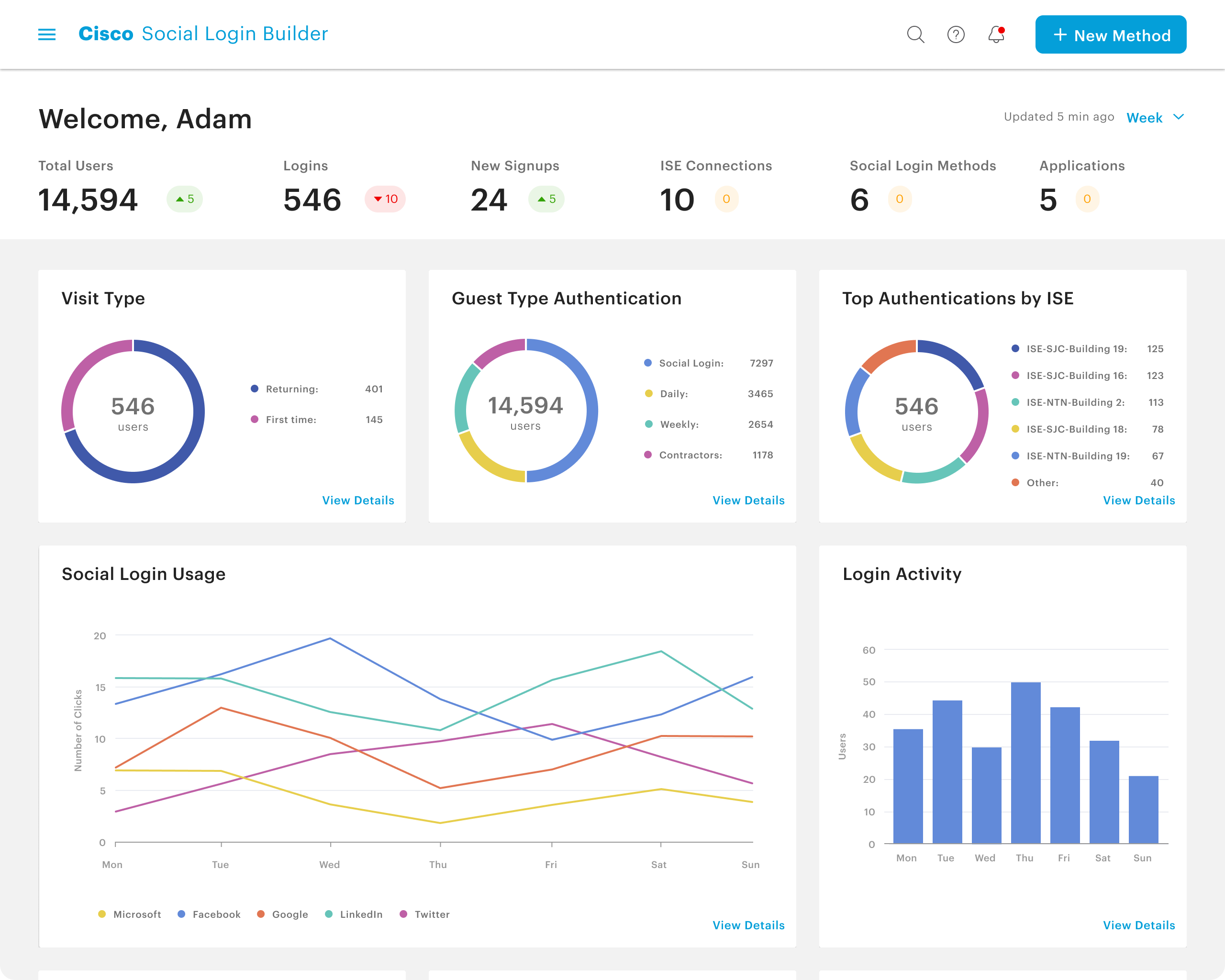
Once methods are live, admins need to see that they work. The dashboard and the methods table break down adoption, login types and load per ISE node. I designed them to pull live data from ISE, and engineering confirmed that was possible.

Dashboard: adoption, login mix, authentications per ISE node
Shown with sample data.
Methods table: status, apps, connections and clicks per method (sample data)

Decisions and tradeoffs

A platform beside ISE, not a screen inside it

Options
A screen inside ISE, or a dedicated platform synced back to ISE.
We chose, as a team
A dedicated platform for social login, still synced back to ISE.
Why
It gave admins one place to create, manage and track login portals. It was also the practical choice. Building beside ISE was easier than fitting into a product that size.
The cost
A separate tool to open, and a sync with ISE that had to be reliable.
How I handled it
The wizard's last step writes everything into ISE automatically, so admins don't have to enter anything by hand.

One group instead of repeated setup

Options
Configure 15 portals for 15 offices, or create one group and reuse it.
I chose
A Social Login Method that wraps apps, portal types and ISE connections into one group you can reuse.
Why
Clients, from airports to universities, needed different access for each region, building or even floor.
Not new to admins
ISE already had a way to set this up, but it was hidden and separate for each login method.
Where I started
Apps and connections came first, because partners set things up one at a time and group them later.

Outcome

The design had to work within hard limits.

We had a small team, a tight release cycle and many stakeholders. Some parts of ISE couldn't be automated: sponsor creation, admin credentials and some APIs.

Other case studies

Easy Lens Mobile Redesign

Creation on mobile was a bar people didn't notice. I gave it its own place, then designed how creators edit there.

Shipped after I leftResearch → shipped iteration