


Lens Components
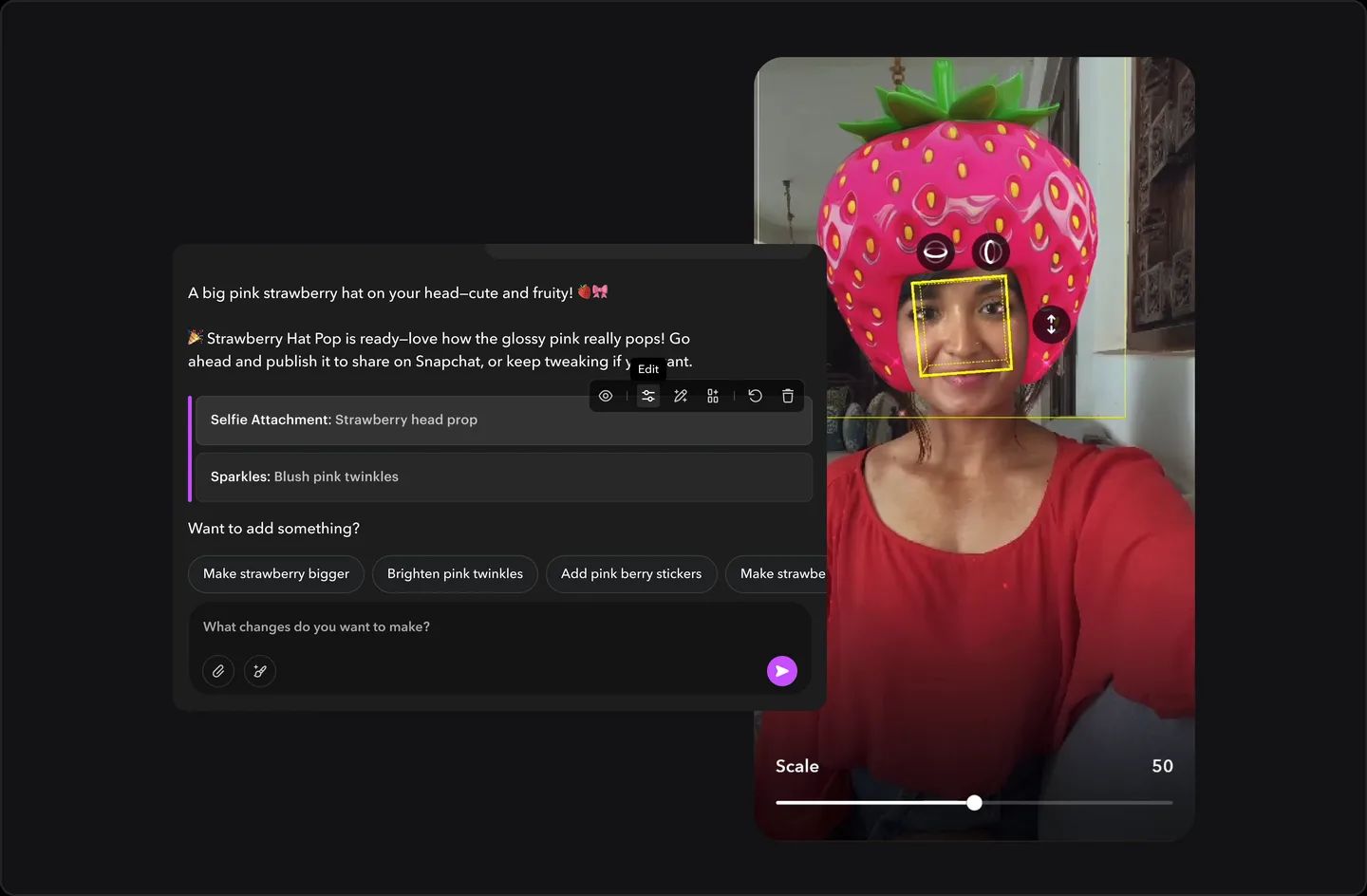
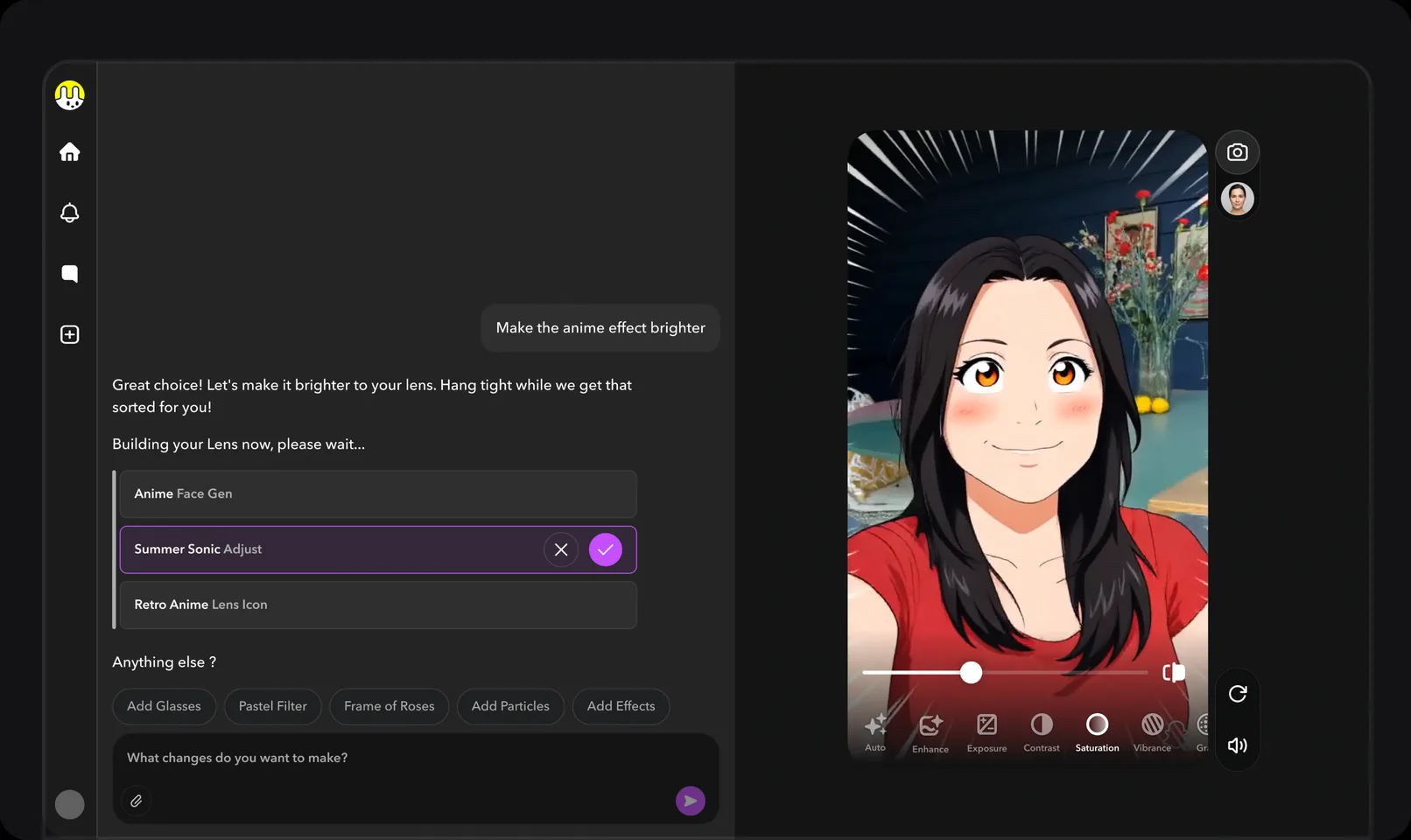
The AI builds a Lens as a stack of components. I designed the layer that makes each one editable.
Shipped


Easy Lens Web Evolution

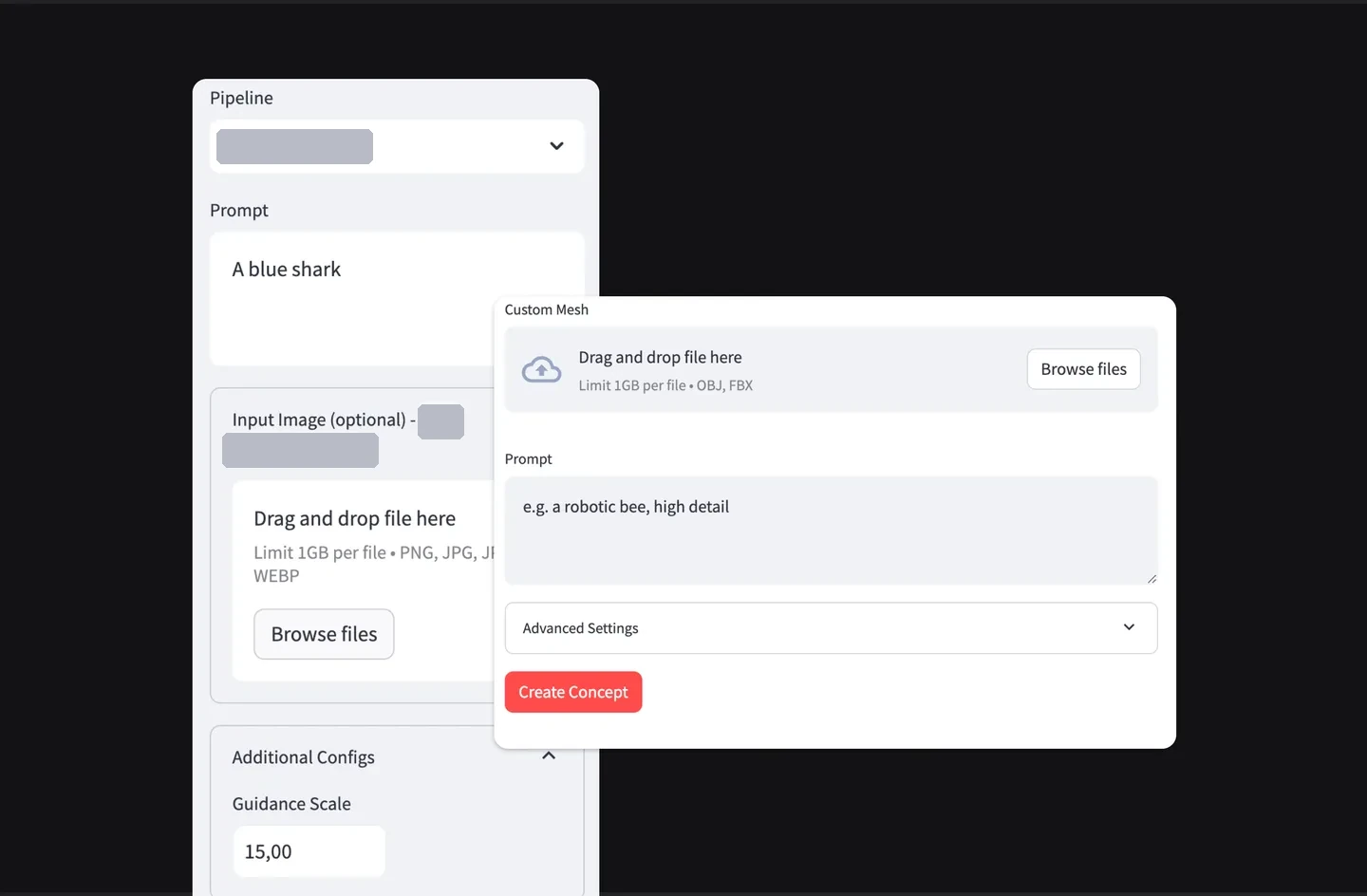
A Lens is an effect you play with in the Snapchat camera, like dog ears or a new background.
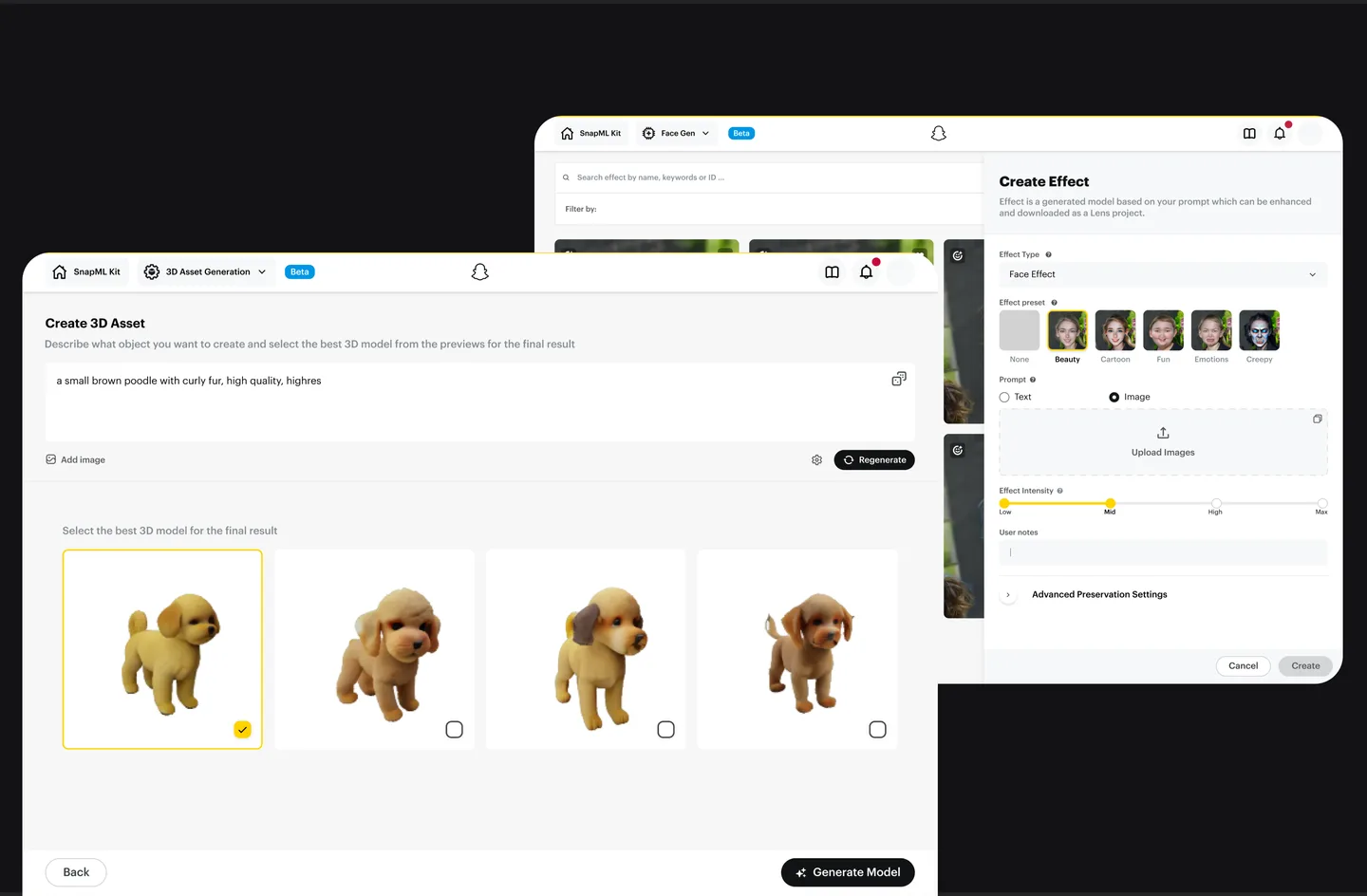
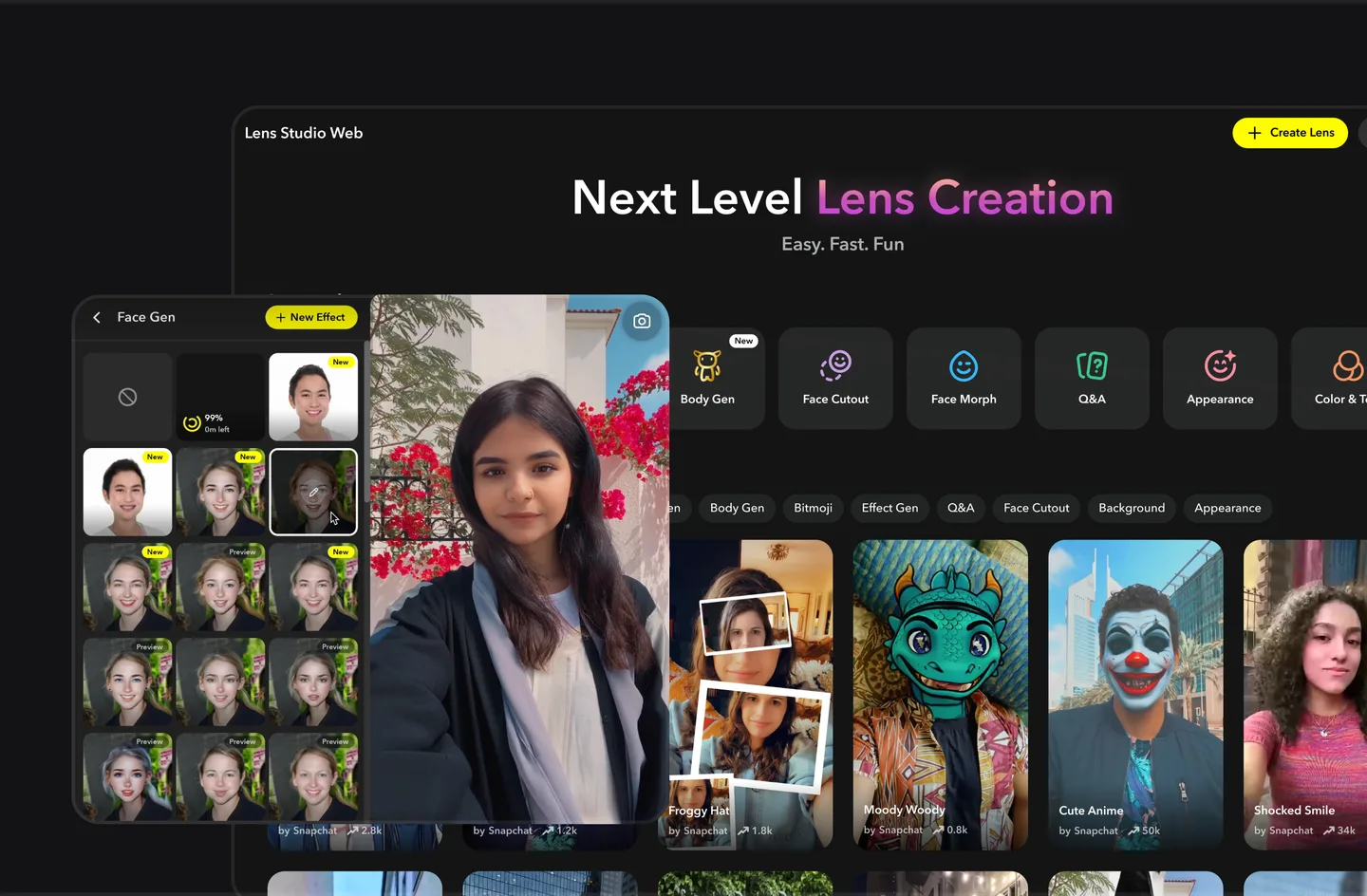
Making a Snapchat Lens used to mean learning Lens Studio Desktop, a pro tool most people never got through. I took the web track from an internal ML tool only engineers could use to Snap's first LLM-powered Lens creation on the web. You describe a Lens in plain words, then keep shaping it.
The turning point was V2. We moved from templates to chat, and I designed how creators keep control of a generated Lens.
Evolution
Over four stages, one idea held: you shouldn't need a pro tool to make a Lens.
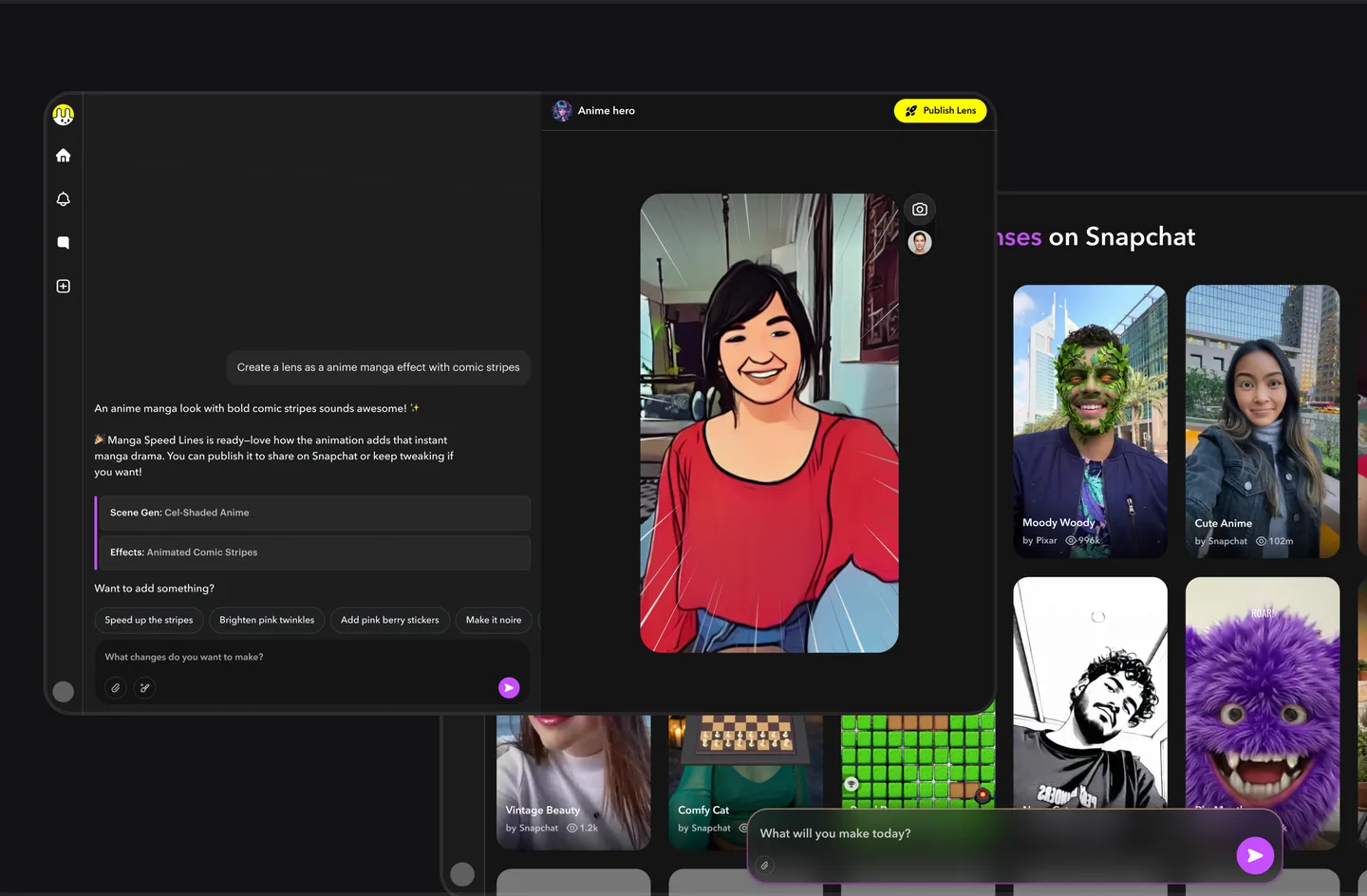
Type an idea, get a Lens you can keep editing.
The pivot to chat · Oct 2025
V1 had to be template-based. At the time, it was the only way to build a Lens. A gallery review and research sessions where we watched creators build showed their Lenses were starting to look alike. Once LLMs were good enough to turn a description into a working Lens, we decided as a team to move from templates to chat.
Components gave creators control and predictable results.
Generation gave range and speed, but risked a black box where you type a prompt and take what you get.
Every generated Lens opens as an editable component list in the chat, and edits happen on the preview. V1's generative tools moved into the same chat instead of sitting in separate panels.
The V2 platform
I designed each step: describe a Lens, refine it, publish it, then see how it does. I also designed Lens+, the Easy Lens subscription on web (shipped spring 2026): the paywall, where creators upgrade, what subscribers get, and payment details in their profile.
A creator types what they want and gets a working, editable Lens. Templates are gone. The other way in is remixing an existing Lens.
Creators refine a Lens two ways. They ask for a change in the chat, or edit any component the AI builds by hand. They can adjust it, swap its asset or generate a new one.
Lens ComponentsThe creator publishes the Lens from the same place they made it. Who sees a Lens is its own chapter.
Private & Targeted PublishingPer-Lens insights are new in V2. Views, shares and rewards sit right next to publishing.
The AI builds a Lens as a stack of components. I designed the layer that makes each one editable.
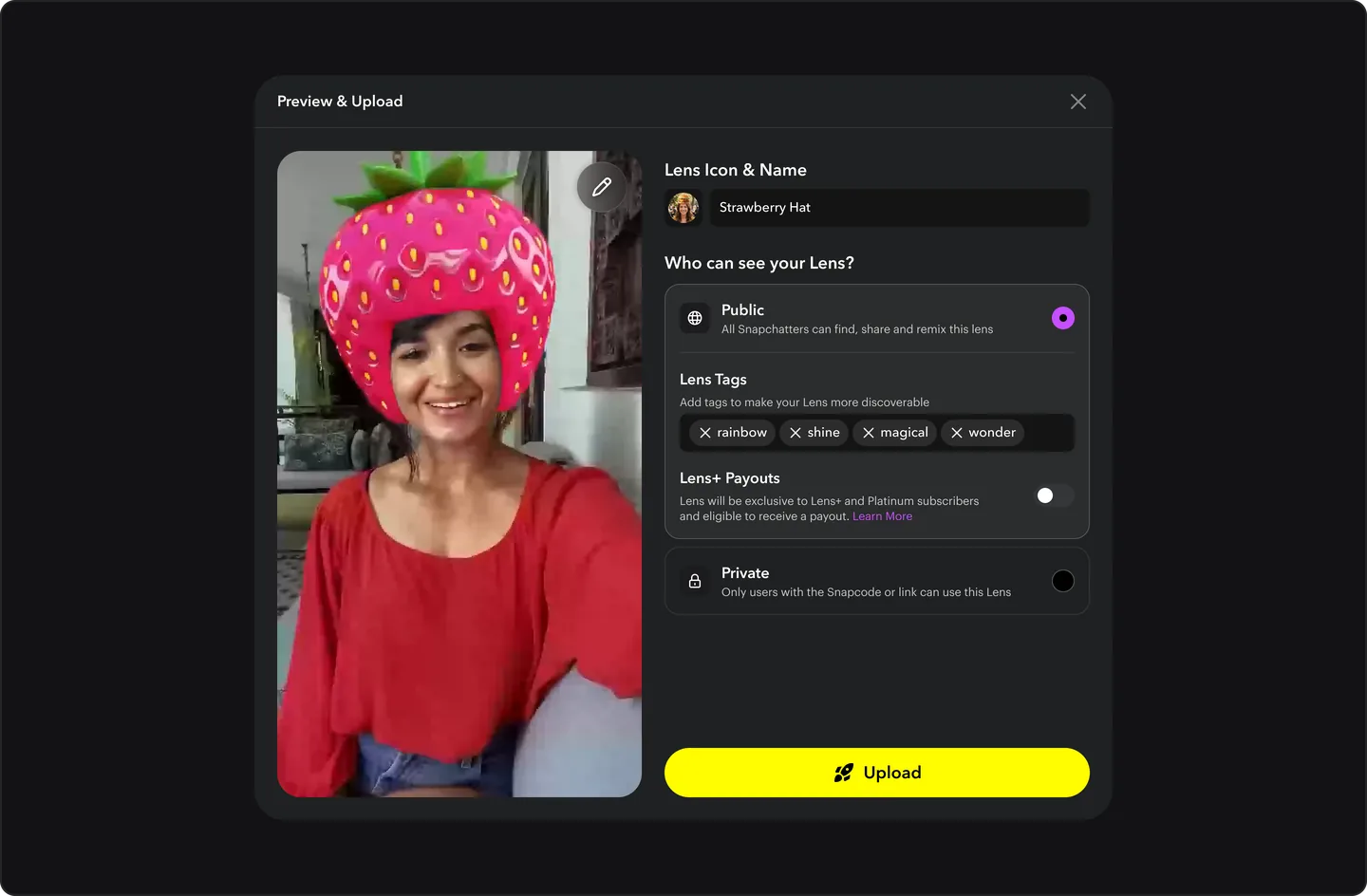
Publishing was all or nothing, so personal Lenses stayed in drafts. I wrote the proposal and pushed for it, and private publishing shipped.
Gallery
Each AI edit used to overwrite the last one. Now every meaningful edit becomes a named version you can preview and restore.
Some ideas are easier to draw than describe. Sketch on the preview and the AI uses it as a reference.
V2 launched with one chat, so starting a new Lens meant losing the last one. Now every chat is a saved draft you can switch between and resume.
The V2 gallery was a flat grid. I added categories and per-tile remix, and made the layout denser and more visual.
Shipped as a hybrid of my redesign and a version engineering built afterwards.
Explorations
Long generations blocked the only chat, and everything had to stay on one surface. In my concept, each generation gets its own thread. I explored four versions.
ConceptThe hardest part of an AI tool is the blank input. I explored four versions of in-context suggestions that help you build a good prompt.
ConceptCreating isn't linear. A chat is. Canvas starts from the Sketch to Lens drawing layer, which shipped, and turns it into a board. You sketch an asset, drop in references, mark them up and compose the Lens. It's an extra mode that works alongside chat.
ConceptBranches
Pros got the same ML models in Lens Studio Desktop, and V2 brought chat creation to phones. I designed the desktop plugins and continued the mobile work.
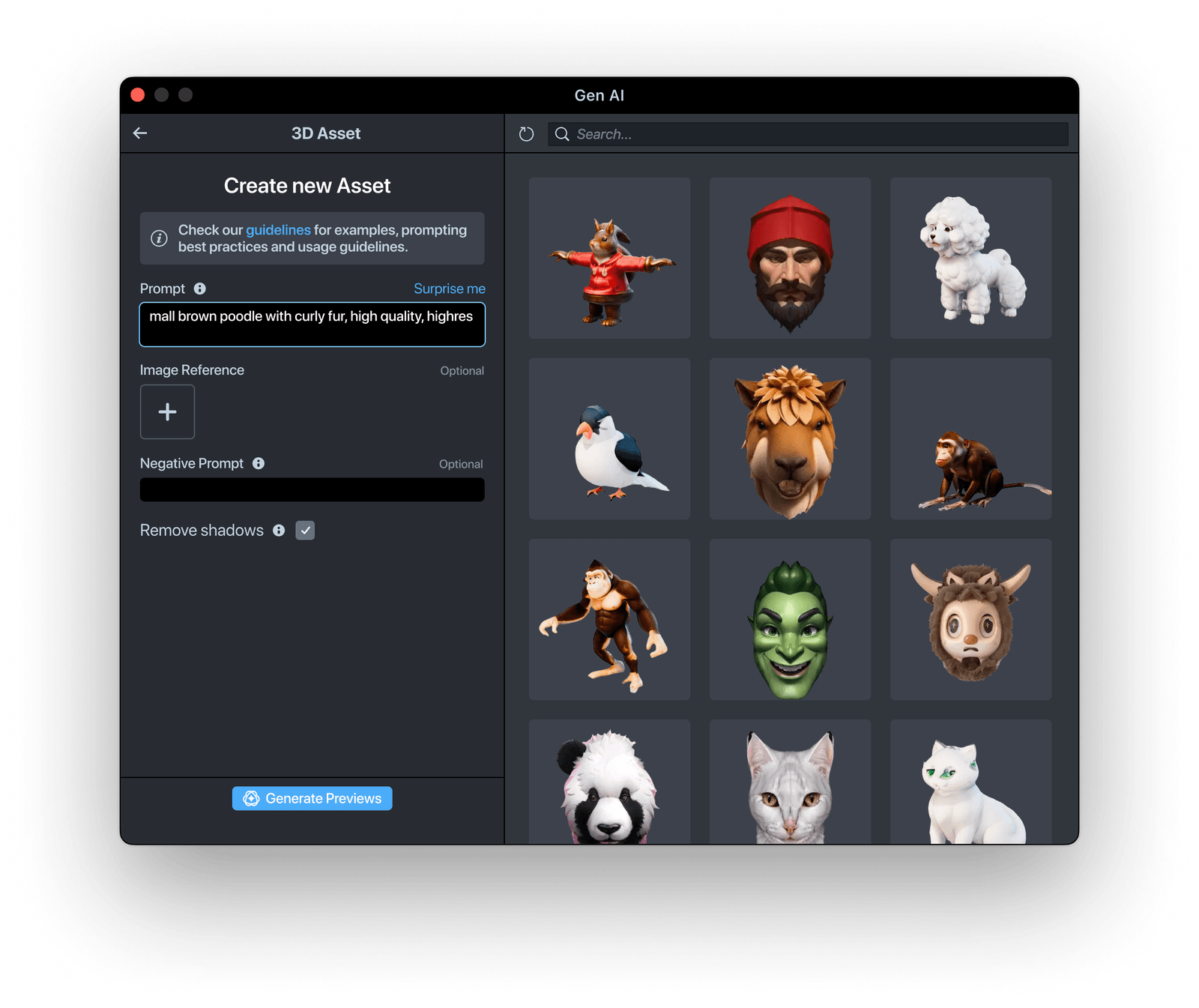
Six ML and generative tools inside Lens Studio Desktop, most of them on one shared design template. Built for expert creators.
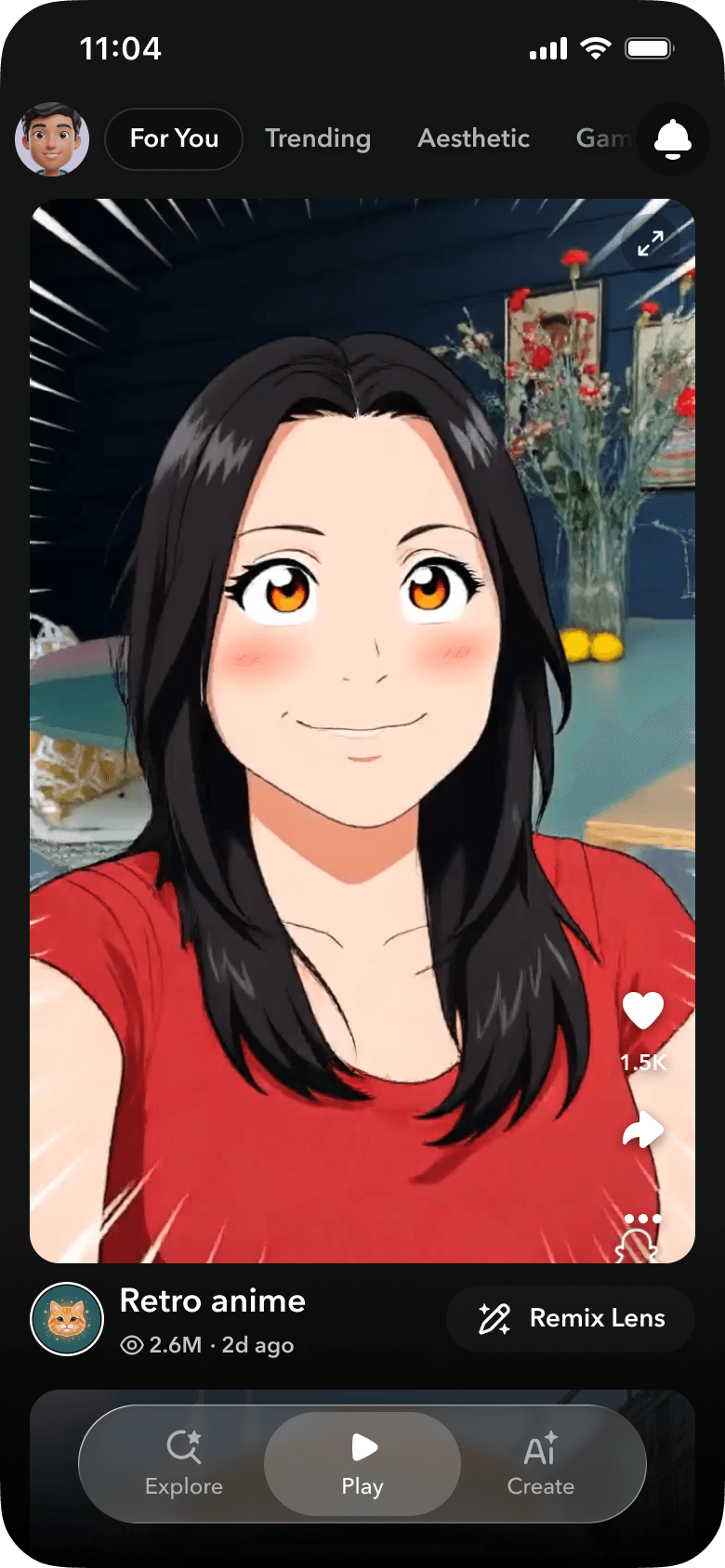
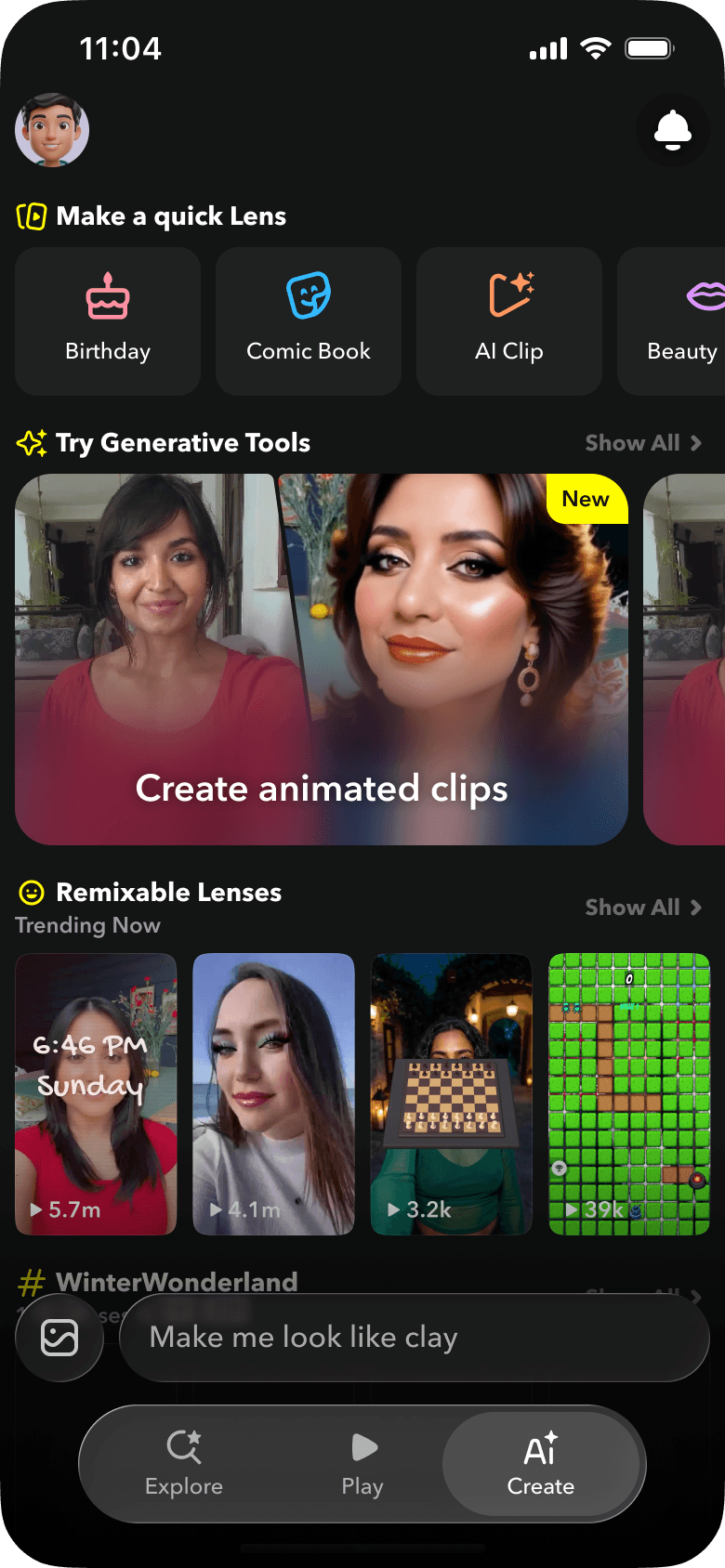
Creation on mobile was a bar people didn't notice. I gave it its own place, then designed how creators edit there.
Impact and scope
| Feature | Before | After |
|---|---|---|
| Lens Components | Type a prompt, take what you get | Every generated Lens opens as editable components |
| Version Control | Each AI edit overwrote the last one | Every meaningful edit is a named version you can restore |
| Chat Drafts | Starting a new Lens meant losing the last one | Every chat is a saved draft you can resume |
| Private publishing | Public to everyone, or nowhere | Public or Private, shared by link or Snapcode |
Cumulative web impressions grew from ~1.02B in Aug 2025 to ~6.19B in Jan 2026 and ~9.75B in May 2026. V2 launched in Oct 2025.
Of people who opened Easy Lens on web, ~83% started creating and ~23% submitted a Lens
Reflection
Chat made it easier to start, but generation alone would have been a demo. Easy Lens became a tool because of what came after the first prompt: components, versions and drafts that kept the creator in control. That's how I approach AI-native products now. The first generation is a starting point, and the real work is everything after it.